
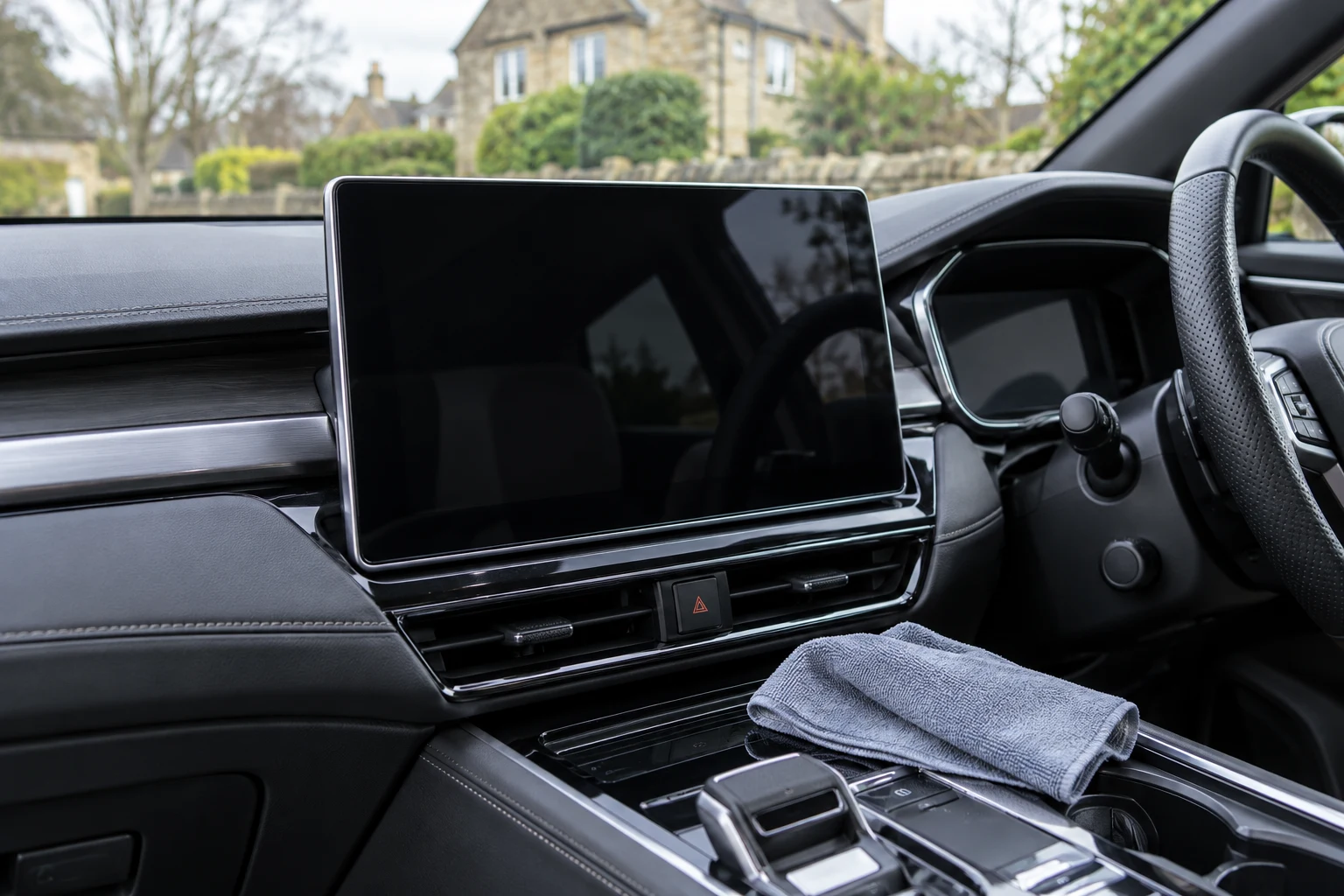
Let the screen instructions choose the method
Infotainment screens can have coatings and touch-sensitive surfaces that differ from ordinary window glass. Begin with the vehicle’s display-care instructions, including the permitted cloth, whether any liquid is allowed and how to stop accidental inputs while cleaning. A bottle advertised for screens does not override those instructions.
The right starting point is usually a clean suitable cloth and gentle control, not a stronger chemical. Some displays allow a cloth lightly moistened with clean water if necessary; others have more specific exclusions. Treat a clear instrument cover, a head-up-display surface and the centre touchscreen as separate components unless the handbook groups them together.
If the surface is cracked, peeling, bubbling or permanently hazy, cleaning is not a coating repair. Avoid attempting to polish out the mark or rub away a damaged anti-glare layer. Ask the vehicle maker or display installer for the appropriate assessment.
Two vehicle examples show why permission matters
Volvo’s cited V90 Cross Country guidance uses a clean dry microfibre cloth, gentle pressure and, if needed, a little clean water on the cloth. It excludes ordinary cleaning agents and direct spraying. That makes a dedicated liquid display cleaner unsuitable for that specified method, even if the cleaner maker describes broad touchscreen compatibility.
Tesla’s Model Y guidance calls for a soft lint-free display cloth and excludes cleaners such as glass cleaner, wet wipes and dry statically charged cloths. Its screen-cleaning mode is a vehicle-specific way to prevent inputs. Follow your own model’s method rather than copying another car’s button sequence or cloth advice.
These examples do not prove that all other cars approve a liquid product. They show the order of decisions: establish the screen’s requirements first, then choose equipment that fits them.
Prepare a dedicated clean cloth
Inspect the cloth before touching the display. Grit, dried dressing, polish or a hard piece caught in the fibres can defeat the purpose of a soft material. Keep screen cloths away from mat cleaning, tyre care and exterior finishing. A cloth that looks clean is not necessarily free of product residue.
SONAX Microfibre Cloth Glass+Interior 04984000 is one display-cloth option where its type meets the vehicle’s requirements. It is a single 38 × 38cm cloth, separate from other similarly named SONAX packs. A dedicated clean cloth can be useful without any cleaner bottle.
For a clean dedicated display cloth where approved
SONAX Microfibre Cloth Glass+Interior
A single 38 × 38cm waffle microfibre cloth listed for sensitive displays, glass and interior surfaces. It is the cloth specified in SONAX Display Cleaner’s application directions.
- One cloth
- 38 × 38cm
- Item 04984000
Follow the screen maker’s cloth requirements and avoid static, grit and dressing residue. Dedicate a clean cloth to displays; do not use a cloth that has cleaned mats, wax or trim dressing.
Do not substitute paper towel, rough fabric or a household scouring pad. Follow the screen instructions on static as well as softness. If the manufacturer supplies a particular cloth or identifies an equivalent type, use that guidance rather than choosing only by pile thickness.
1. Park and prevent unintended inputs
Clean while the vehicle is stationary and follow its prescribed display-off or screen-clean mode. Do not wipe navigation or climate buttons while driving. Keep keys, jewellery, sleeves and bottle bases away from the surface while arranging the work.
Switching a screen off or darkening it can also make fingerprints easier to see. That does not mean every vehicle should be powered down by the same sequence. Check the handbook so you do not change settings, interrupt a required function or force the display into an unsupported state.
2. Remove ordinary dust gently
Use the approved clean cloth with light contact. Do not grind a visible hard particle across the screen or keep rubbing one dry dirty patch. If grit is present, follow the display maker’s removal advice before continuing.
Work methodically over the accessible face without pushing the cloth into the surround. Keep fingers from pressing the display while the other hand wipes. More pressure is not a useful substitute for a clean working face or a permitted next cleaning stage.
Inspect the cloth and turn to a clean area as needed. If it carries oily residue from another task, replace it rather than trying to buff the screen with an unused-looking corner.
3. Address fingerprints with only the permitted moisture
If the screen instructions allow a lightly damp cloth, prepare it away from the display and control the amount so it cannot drip. Never spray directly into a screen edge, control opening or speaker grille. Use the exact allowed liquid; clean water permission is not permission for detergent, alcohol or glass cleaner.
Where the vehicle expressly permits a compatible display-cleaning product, SONAX Display Cleaner 300ml provides a cloth-first option. Its directions use a suitable cloth, gentle wiping without pressure and a dry part if needed. This is conditional advice, not a recommendation for the Volvo or Tesla methods described above.
For display cleaning only where the vehicle allows a liquid product
SONAX Display Cleaner 300ml
A dedicated display cleaner with a cloth-first method. SONAX directs applying to a suitable display cloth, gently wiping without pressure and finishing with a dry part if necessary.
- 300ml bottle
- Item 03921000
- Vehicle approval required
Vehicle instructions take priority: some displays permit only a specified cloth and clean water, or prohibit cleaners. Never spray directly onto the screen. Not a way to repair scratched or peeling anti-glare coatings.
Choose one permitted method and complete it. Do not combine a screen spray, disinfectant wipe and glass cleaner to tackle the same fingerprint. Autoglym Interior Shampoo, for example, explicitly excludes infotainment displays despite its broader uses on other interior surfaces.
4. Finish and inspect the surface
Follow the permitted finishing step with a clean face, avoiding residue at the edges. Inspect in useful light while stationary. A fingerprint may be easier to see with the screen dark, but a permanent mark in a coating will not necessarily change with further wiping.
If a haze or streak moves with the cloth, check contamination and the amount of permitted moisture. If the mark stays fixed or the surface appears to be changing, stop and seek display-specific advice. Do not escalate to abrasive polish or an eraser to obtain a uniform appearance.
| Situation | Next step | Avoid |
|---|---|---|
| Light dust or fingerprints | Approved dedicated cloth method | A dirty general-purpose interior cloth |
| Vehicle allows water only | A little clean water on the permitted cloth if directed | Substituting a branded screen spray |
| Vehicle permits a display product | Follow both vehicle and exact cleaner directions | Direct spray onto the display |
| Peeling, cracks or fixed haze | Vehicle/display specialist assessment | Polishing the coating away |
Keep screen care separate from the rest of the cabin
After cleaning, restore the display using the vehicle’s procedure and check normal operation. If there is a persistent touch fault, flicker or other malfunction, do not treat it as remaining dirt. Keep liquid cleaning out of the diagnosis unless the vehicle maker directs it.
Store the clean cloth separately and follow its washing instructions, including any display-maker restrictions on static. The dashboard and door-trim guide covers adjacent materials, while interior-glass cleaning covers the windows. Keeping those tasks distinct makes it easier to choose a small, appropriate kit without assuming one spray belongs everywhere.
Common questions
Can I use car-glass cleaner on a touchscreen?
Do not assume so. Some vehicle manuals explicitly prohibit it, and display coatings differ from ordinary window glass. Follow the screen’s own instructions even if a cleaner claims broad compatibility.
Is a dedicated screen-cleaning spray always safe?
No. A vehicle may permit only its specified cloth and clean water, or prohibit cleaners altogether. SONAX Display Cleaner is an option only where the vehicle allows a compatible liquid product.
Should I spray cleaner directly onto the display?
No. Use the vehicle-approved method and, where liquid is permitted, prepare the cloth away from the screen. Keep moisture from entering edges and nearby controls.
Can I use any recently washed microfibre cloth?
Check the screen maker’s requirements. The cloth must be clean and free of grit or product residue, and some manuals also warn against static. A newly washed cloth is not automatically suitable for every display.
Will cleaning fix a peeling anti-glare coating?
No repair is established by wiping it. Stop if the coating appears damaged and seek vehicle or display-specialist advice. Do not polish or rub the damaged layer away.
Sources and product instructions
Follow the label and care instructions for the exact version and surface you own.
- Volvo V90 Cross Country: centre-display cloth and liquid restrictions
- Tesla Model Y: seat materials, screens and interior cleaning limits
- SONAX Display Cleaner 03921000: cloth application
- SONAX Microfibre Cloth Glass+Interior 04984000: pack and care
- Autoglym Interior Shampoo: hand-cleaning method and display exclusion